How ChatGPT will change your life in 30 days: a step-by-step guide
Learn how to use ChatGPT over 30 days for daily life, work and learning. Real examples, tools and a step-by-step plan for beginners.
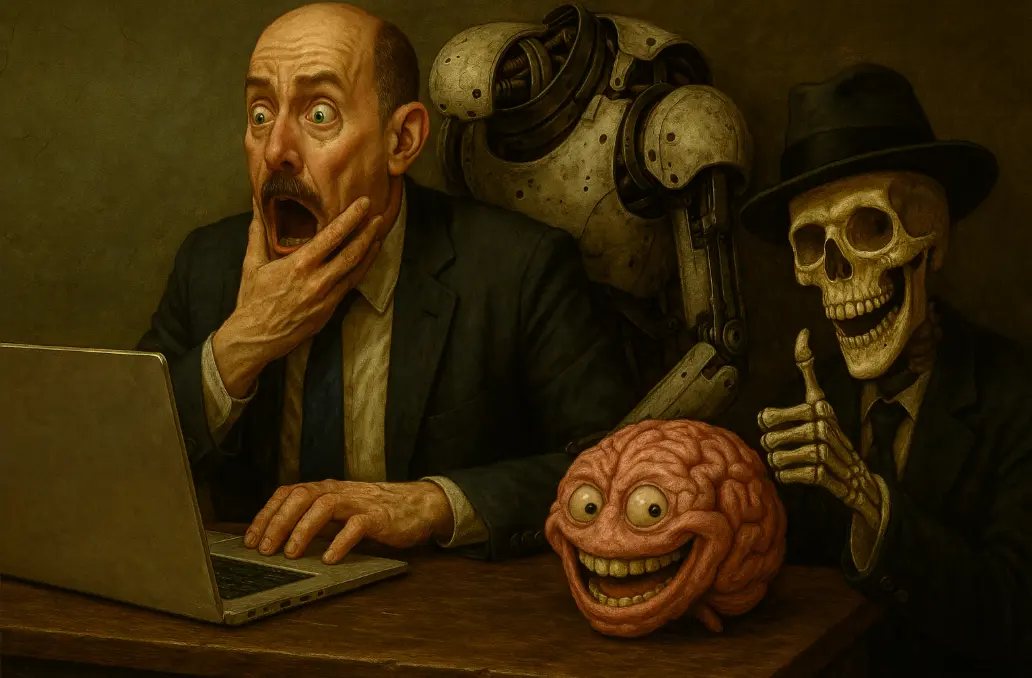
Artificial intelligence is no longer futurism — it’s already here. Your coworker, assistant, tutor, screenwriter, translator and even your conversation partner can all be a single system. In 2025 we are entering the era of mass adoption of AI in daily life, work and learning. Ukraine’s most successful AI startups are already valued at over $14.5 billion, and that’s only the beginning.
This guide is not about loud forecasts but about specifics. We’ll show how in 30 days you can change the way you think, simplify daily tasks, and turn ChatGPT into your personal productivity tool. Without pretension. Just real scenarios — from budgeting to writing résumés, from generating ideas to organizing your household.
The world is changing fast. Either you use AI — or you fall behind. Artificial intelligence is no longer a toy for geeks or a futuristic threat from a movie. It is a tool that, right now, can simplify your life, speed up work, unload your brain and even suggest how to reply to a difficult email or save time on routines.
Key facts:
- 3 Ukrainian AI startups already valued at over $14.5B:
- Reface — neural networks for face swapping
- Respeecher — voice synthesis for film and gamedev
- ZibraAI — real-time virtual content generation
- Ukraine is not just a consumer but an active player in the global AI market.
- 2025 will be the peak of AI adoption in everyday life:
- According to Gartner forecasts, by the end of the year more than 50% of office and household routine will be partially or fully automated by AI.
- Searches for “how to use ChatGPT at work” have grown 4x year over year
- People are no longer looking up what it is — they’re looking up how to do it effectively.
AI is already here — and it works for you, if you know how Many still think ChatGPT is just a chatty bot for fun. But in reality:
- it can run negotiations with clients;
- create texts, résumés, business plans;
- generate ideas for gifts, reels or startups;
- explain what VAT is or how to file taxes.
This text is not just another review article. It is an action guide on how to integrate AI into your life in 30 days so that it works for you every day. Who is this guide for?
- You’re a freelancer who needs to save time on routine
- You’re a student or developer who wants to expand skills
- You’re an entrepreneur looking for new tools for scaling
- You’re simply a person who wants to stop “burning out” and start catching up
What is ChatGPT and how is it useful in daily life ChatGPT is not just another entertainment bot. It is a language model created by OpenAI that can carry on a meaningful conversation, generate text, help with learning, planning, creativity and routine tasks. As of 2025, it is one of the most universal assistants for anyone who works with information.
What is an LLM, and how does ChatGPT differ from Google? An LLM (large language model) learns from large volumes of text to predict the next word in a sentence. In practice this means it:
- “Understands” a query in context
- Can adapt to your style
- Gives a structured answer instead of a list of links, as Google does
Example of the difference: 🔍 Google: “how to write a résumé for a product manager position” — gives you 10 links to articles.
🤖 ChatGPT: — immediately creates a résumé draft + suggests which points to swap out.
What can ChatGPT be used for right now? 🏠 In daily life:
- Make a weekly shopping list (taking diet or budget into account)
- Suggest a 3-day menu from what’s in the fridge
- Help write an explanation for a teacher if your child missed a lesson
- Plan a mini-trip considering time, weather and costs
💻 At work:
- Write a professional email without sounding canned
- Check text for errors, soften or sharpen tone
- Prepare a résumé or cover letter
- Create a presentation outline or article structure
- Translate documents and explain unclear terms in plain words
📚 In learning:
- Explain a complex topic (economics, math, programming)
- Build a learning plan for a new skill (e.g. Python in 30 days)
- Generate tests or self-check exercises
- Rewrite text in a more concise or clearer form
🎯 In creativity:
- Generate ideas for business, blog or gifts
- Write an Instagram post or a TikTok script
- Come up with a project name, slogan, motto
- Edit text in the style of humor, drama or expert delivery
30 days with ChatGPT: how to gradually integrate AI into your life This section is like a fitness plan, but for the brain and routine processes. In 30 days you can train yourself to delegate part of your decisions to AI — gradually, gently and with tangible results.
Week 1: Daily life and household concerns The first week we focus on home life. You’ll learn to offload small decisions and worries to ChatGPT:
- Building shopping lists and weekly menus, taking budget or existing groceries into account.
- Organizing household tasks: packing for a trip, preparing for a move, writing reminders for family members.
- Finding answers to household questions: from how best to wash wool, to advice on cleaning silver or choosing a humidifier.
- Basic monthly or weekly budgeting with notes on where you can save.
- Suggestions for simple healthy habits and household tweaks that don’t require huge effort.
Week 2: Work, freelance, office In the second week, integrate AI into your professional life:
- Have ChatGPT write professional emails, follow-ups, payment reminders — in an official or friendly tone.
- Ask it to help with résumé, cover letter or LinkedIn profile.
- Build a content plan or structure for Instagram, Telegram or a blog.
- Draft templates for commercial proposals or presentations.
- Use ChatGPT as an editor or translator — adapt texts, edit tone, improve phrasing.
- Create SEO copy, ad headlines or short site descriptions.
Week 3: Education, research, development The third week is for learning and thinking. ChatGPT becomes your tutor, editor and researcher:
- Ask for a personalized study plan (e.g. learn Python or Polish in 30 days).
- Generate logical or creative problems to develop thinking.
- Have it explain complex concepts in plain words: from economics to technology.
- Ask it to summarize long texts, extract key ideas, find arguments.
- Prepare for exams or interviews — ChatGPT will generate questions and check answers.
- Rewrite complex, formal or legal texts in clearer human form.
- Have conversations in English: ChatGPT can be a partner, coach, even proofreader.
Week 4: Creativity, automation, experiments The last week is the next level: creativity, idea generation, process automation:
- Use ChatGPT as an idea generator: for startups, blogs, projects, even gifts.
- Create video scripts for TikTok, YouTube or Reels, taking tone, audience and format into account.
- Invent brand, product or project names — with the logic and stylistics explained.
- Generate simple code: a Python script, an HTML landing, a database query.
- Ask for instructions on API integration, building a bot or automating a process (e.g. automatic email reminder sends).
- Write creative texts — stories, letters, biographies, advertising manifestos.
- Analyze customer or reader feedback — ask ChatGPT for summaries, conclusions, recommendations.
- Ask ChatGPT to summarize your 30-day practice and suggest what to scale next.
This experiment is not about learning all of ChatGPT’s capabilities. It is about a habit: turning to AI as an assistant that saves energy, time and focus. Within 10 days you’ll feel the relief. After 30 — you won’t want to work without it.
The best free AI tools that complement ChatGPT ChatGPT is powerful but not the only one. Anyone who wants to automate household life, improve work or speed up content creation should have an arsenal of several tools. Here’s a curated selection of proven, free or conditionally free AI services that complement ChatGPT perfectly.
1. Notion AI What for: creating, rewriting, shortening or structuring text as notes, tasks, plans. Why it’s useful: quickly puts thoughts into a clear form; ideal for freelancers, managers and anyone keeping personal or work journals. Format: built into the popular Notion app.
2. Grammarly (with GrammarlyGO) What for: checking text for grammar, style, tone, logic. Why it’s useful: helps you write confidently in English even as a beginner. Professionally edits letters, social posts and documents. Plus: suggests edits in real time.
3. Perplexity AI What for: searching for information with explanations and links to sources. Why it’s useful: works as a smart alternative to Google. Gives clear answers, not just links. Ideal for learning, research, fact-checking. Feature: convenient for “deep” questions with sources.
4. Claude (Anthropic) What for: generation of longer, more “human” texts, better ethics in generations. Why it’s useful: a calmer answer style, good for complex analytical tasks, ethical topics or when ChatGPT is “too confident about nonsense.” Access: currently free in many countries, supports a large context window (up to 100k tokens).
5. DALL·E / Ideogram / Midjourney (via Discord) What for: image generation from a text description. Why useful:
- DALL·E — a simple interface, integrated into ChatGPT
- Ideogram — makes images with text (e.g. memes, posters)
- Midjourney — for artistic, high-quality visualizations
When it’ll be useful: designing covers, blog illustrations, presentations, social posts.
6. Tome AI What for: creating presentations from a text description. Why it’s useful: type the idea — get a designed presentation with slides, images and bullets. Killer feature: saves hours of preparation, especially for non-designers.
7. Zapier AI / Make What for: automating repetitive tasks (e.g. “if a new letter arrives — move it to a Google Sheet”). Why it’s useful: can connect dozens of services: Gmail, Telegram, Notion, Google Docs, etc. AI modules: you can create actions based on AI requests (e.g. classification, summarization, form processing).
8. Voice AI / ElevenLabs / Whisper What for: converting text to speech and vice versa. Why useful:
- ElevenLabs — voice synthesis (voice-over for video, interfaces)
- Whisper (by OpenAI) — high-accuracy speech recognition
- Voice.ai — experiments with voice-over or real-time voice change
9. ChatGPT Plugins / GPTs (in Pro) What for: extending ChatGPT’s functionality — connecting to real data, services, tables, etc. Example: upload a PDF and ask ChatGPT to summarize it; or analyze a Google Sheet. Note: available on the Pro plan, but gives enormous flexibility.
10. Krea AI / Runway ML / Pika What for: video generation, editing of visual content, animation. Why useful: building videos from scratch, style transfer, AI-driven editing. Ideal for: marketers, bloggers, creators.
Why 2025 will be the year of mass AI adoption
2025 is not just “another year of trends.” It is the moment when AI moves from the category of innovation into the category of necessity. If 2023 was the year of experiments, 2024 was the year of tools, then 2025 is the year when AI becomes a part of work and household systems by default.
Here are five key reasons why right now is the time to integrate AI into your life:
- AI is embedded in everything: from Microsoft to smartphones
- Microsoft has already integrated Copilot into Word, Excel, Outlook and Teams — which means millions of people are using AI without realizing it.
- Google is launching Gemini across its services (Docs, Gmail, Android)
- Apple presented its own AI strategy in iOS 18 — “Apple Intelligence” already works with ChatGPT
➡️ In 2025 you’ll probably use AI just by opening a messenger or a document. You don’t need to install anything — it’s already integrated.
2. Businesses are massively rebuilding around AI processes
- 75% of small and mid-sized businesses in the US and Europe plan to integrate or have already integrated AI for automating customer support, analytics, recruiting and copywriting
- AI already saves thousands of hours of human labor monthly: automates reports, templates, CRM interactions, marketing tasks
- In Ukraine there are already marketing agencies producing 80% of their copy via GPT — and not hiding it
➡️ Those who don’t use it fall behind. Like Google appeared, then Excel, then Canva — now ChatGPT.
3. AI’s maturity and accessibility are unprecedented
- Interfaces have become friendly for beginners: you don’t need to know prompt engineering — GPT understands your requests
- There are mobile versions, offline modes, Ukrainian translations — AI is no longer only for geeks
- Tool access is often free or for a symbolic fee
➡️ If in 2022 you had to “know how to ask,” in 2025 it’s enough to just write — AI adapts to you.
4. The demand for productivity, time and attention saving — at record levels
- After prolonged information overload, war, pandemic, economic shifts — we’re all looking for ways to unload our brains
- AI is not magic, but it really takes part of the pressure off:
- not having to think how to phrase a letter
- not spending hours on text structure
- not googling 20 links — getting an answer at once
➡️ AI is like a digital assistant you don’t have to control, train or convince.
5. For the first time in history, AI is accessible not only to techies
- You don’t need to know Python, Docker or APIs
- You don’t need a subscription to courses
- You don’t even need to log into complex services — ChatGPT, Claude, Gemini work in the browser, on the phone, in Gmail
➡️ This is the new literacy: like once learning to use Google or Excel — now the same with AI.
2025 is not the future. It is already. And the question isn’t whether you’ll catch the train. The question is — whether you can use it to your advantage. The next section has simple instructions on exactly how to do that.
How to start today
If you’ve read this far — you already have the main thing: the realization that artificial intelligence shouldn’t be “studied,” it should be used. And not tomorrow, not “when there’s time,” but today, 5–10 minutes a day.
Here’s a simple algorithm to integrate AI into your life right now — painlessly, with no technical prep, no panic: Step 1. Sign up for ChatGPT or an alternative
- ChatGPT (https://chat.openai.com/) — the starting point. Free, or Pro subscription for access to GPT-4, DALL·E, memory and GPTs.
- Alternatives: Claude.ai, Perplexity.ai, Google Gemini. They have their strengths, and you can pick the interface that feels most comfortable.
Step 2. Start with daily life: something simple and familiar You don’t need to write code or ask for complex scenarios right away. Start with something practical:
- “Make a 3-day menu for two people, budget 600 UAH”
- “Write a polite reply to a client who asks for a discount”
- “Explain why a child should wear a hat — in language a child can understand”
There won’t be any “wrong” prompts. Write the way you’d say it to a friend.
Step 3. Keep a prompt journal This is the most useful habit. In Notion, Google Docs or even Telegram, create a document called “AI — what works for me.” Write down:
- What you asked
- What answer you got
- Was it useful
- What you’d like to improve
It lets you see progress, save time in the future, and build your own personal prompt base.
Step 4. Once a week — a new level
- Week 1: daily life
- Week 2: work / freelance
- Week 3: learning
- Week 4: creativity or automation
Even 15–20 minutes of practice a day will give you a noticeable result. You’ll make decisions faster, write better, keep fewer things “in your head.”
Step 5. Don’t be shy — experiment AI doesn’t judge. You can ask “silly” things, throw out hypotheses, play, fail. This is the best space for trial and error. Your private “lab brain.”
🎯 The main thing is not to know. The main thing is to ask. AI will not replace you. But the one who can ask the right questions of AI will gain a competitive edge in work, learning and life. And you don’t need to wait for the “perfect moment” to start.
Ready-made ChatGPT prompts for everyday life
One of the main barriers for beginners is the fear of “not knowing how to ask correctly.” Good news: AI doesn’t demand perfect language. Simple Ukrainian and clear intent are enough. To make the start easier, here’s a collection of prompts you can simply copy, paste — and get value right away.
🏠 Daily life and routine
- Make a 3-day grocery list for two people, budget 700 UAH
- Suggest dinner options without meat that take up to 30 minutes
- Make a simple weekly house-cleaning plan
- Explain to a 6-year-old child why they shouldn’t drink soda
- Prepare a to-do list before a weekend trip to Lviv
💼 Work, freelance, business
- Write a polite payment reminder to a client
- Compare two job postings and help me decide which is better
- Create a short commercial proposal for SMM services
- Edit this text to sound more persuasive for B2B
- Write a LinkedIn post about the launch of a new project
🧠 Learning and development
- Build a 14-day plan to learn ChatGPT for a beginner
- Explain in simple words what blockchain is
- Create study notes on “Globalization” for 11th grade
- Rewrite this paragraph in English more naturally for a native
- Invent a 5-question test on “Climate change” with answers
🎨 Creativity, content, ideas
- Come up with 10 Instagram-reel ideas about freelancing
- Write a TikTok video script to advertise an online course
- Invent a name for a natural cosmetics brand
- Generate blog ideas on the theme of productivity
- Write a short motivational story in the Black Mirror style
⚙️ Automation and experiments
- Write a Python script that sends an email deadline reminder
- Explain how to set up a Telegram bot without coding
- Optimize this Google Sheet — what can be automated?
- Make a site structure for a personal blog about AI
- Describe how to connect ChatGPT to Notion via Zapier
🎯 How to use these prompts effectively
- Don’t be afraid to change wording — add your own details.
- Ask it to rework the reply if it isn’t ideal — “Make it shorter,” “Add humor,” “Rewrite for Instagram.”
- Build your own “favorite prompts” library — save the most useful ones.
- Learn from AI’s answers — don’t just copy; analyze how it structures thought.
🚀 Afterword This guide is only the beginning. Your main task is to learn to ask, adapt AI to your tasks and not stop at one tool. In 2025, AI is not just a “technology of the future.” It is already your assistant today.
🔌 Plug it in. And let it work for you.